Roles and permissions
CutBench controls access by organisation role, worker kind, employment type (staff or freelance), and permission areas.
Organisation roles
| Role | Access |
|---|---|
| Admin / Super admin | Full dashboard + all organisation settings |
| Member | Dashboard areas granted by admin |
Permission areas
Admins can enable or disable these areas per office member: Dashboard, Calendar, Customers, Jobs, Invoices, Quotes, Files, Inbox, Reporting.
Worker kinds and employment
Worker kind (Office, Templater, or Fitter) is separate from whether someone is staff or freelance. You can mix staff and freelance templaters — and staff and freelance fitters — in the same organisation.
| Kind | Staff | Freelance |
|---|---|---|
| Office | Billable seat; areas granted by permissions | — |
| Templater | Billable seat; office assigns jobs; restricted shop dashboard | Not a seat; claim offers in the Templater portal; can work across shops |
| Fitter | Billable seat; office assigns jobs; restricted shop dashboard | Not a seat; claim offers in the Fitter portal; can work across shops |
Admins can further limit what templaters and fitters may do on assigned jobs under Settings → Job permissions (issues, uploads, comments, forms, schedule).
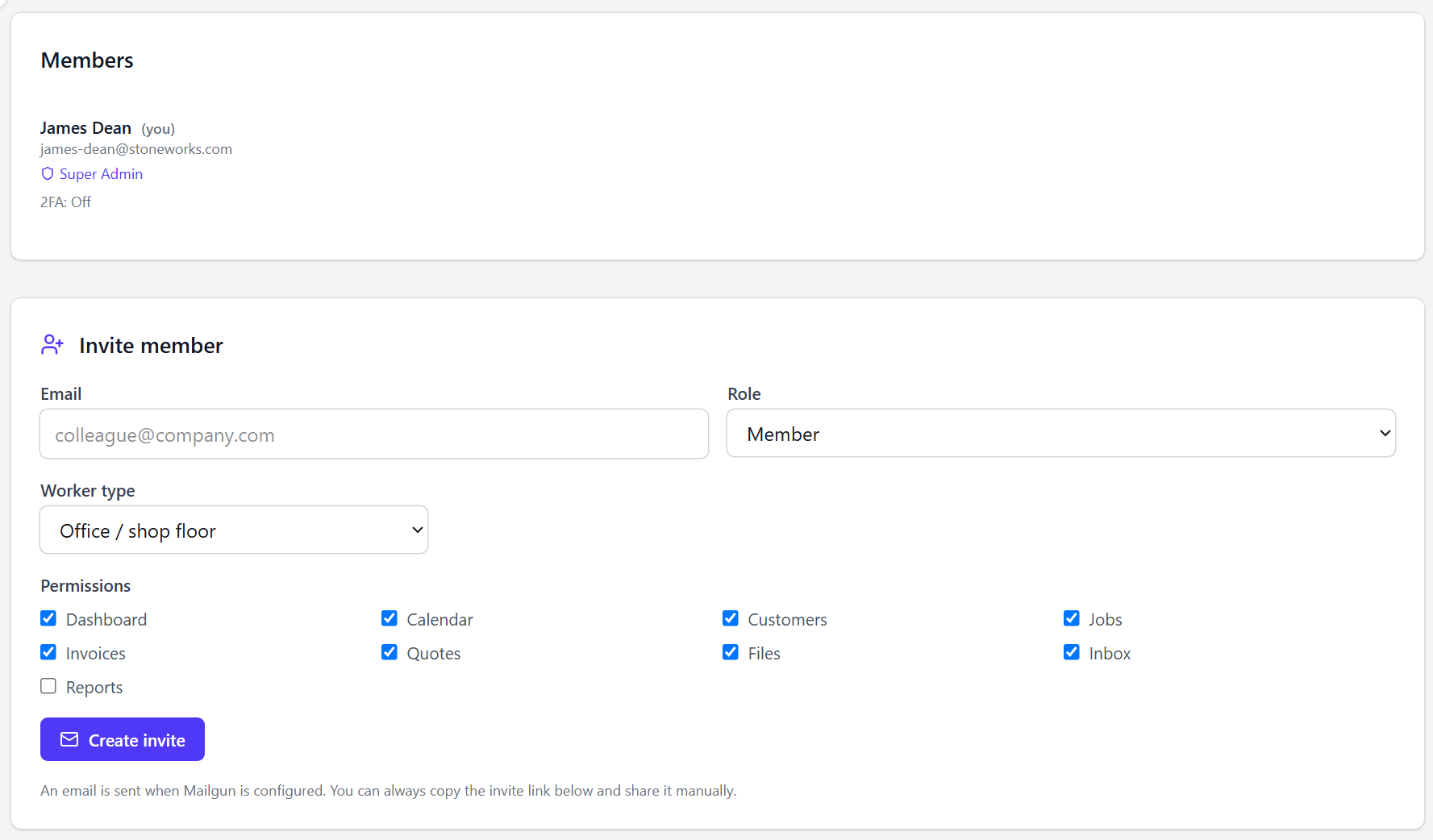
/dashboard/settings/members)See the permissions matrix for a full breakdown.