Jobs overview
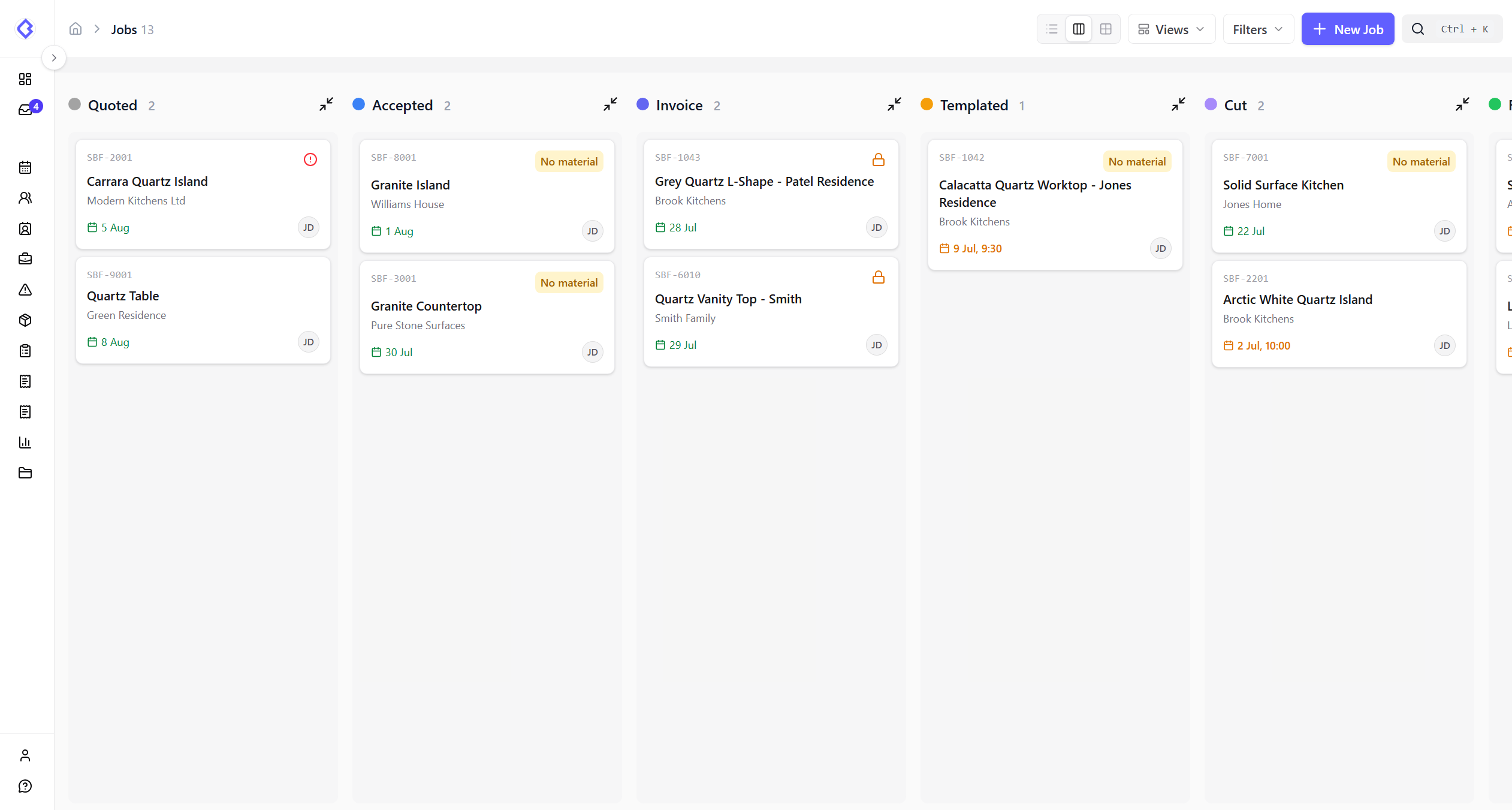
Jobs are the centre of CutBench. Most shops use the kanban board as their daily workflow view. Create quotes in Quote Studio before or after opening a job; CounterGo PDF import remains available as a fallback.
Default job statuses
Jobs typically move through these stages:
Quoted → Invoice → Accepted → Templated → Cut → Fit → Done (with Done ↔ Remedial for snagging)
Your organisation may customise this flow. See Job statuses explained for details.
/dashboard/jobs)VideoJob lifecycle walkthrough~6–8 min
Video placeholder — replace with embedded recording when ready.
Scenes to record:
- Create a quote in Quote Studio (or import CounterGo as a fallback)
- Create or open the job and approve the quote
- Generate deposit invoice and confirm payment
- Schedule templating and move through kanban to Done