Payment tracker
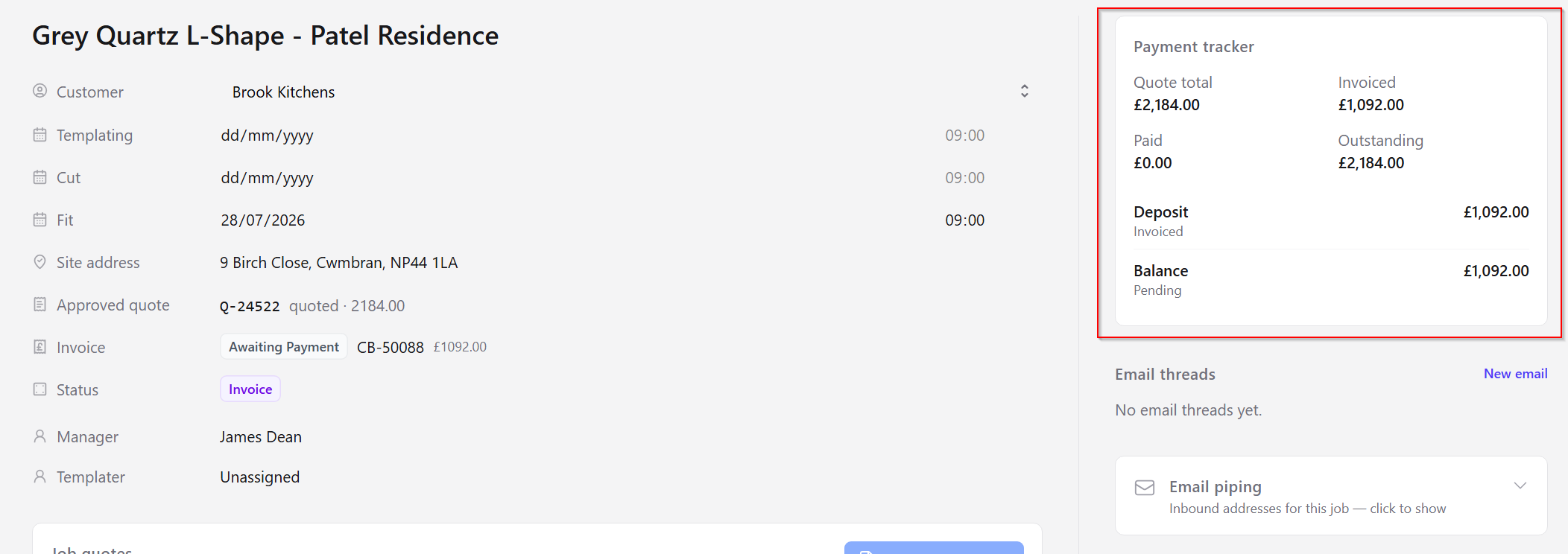
The payment tracker on each job shows milestone progress against your payment terms.
Deposit gate
Jobs in Invoice status typically require the deposit to be marked paid before advancing — this prevents work starting before payment.
Milestones
Milestones are defined in Settings → Payment terms (for example 50% deposit + 50% balance, or 100% on fit).
Scheduled invoices
When a deposit or remainder invoice is configured to send later (for example days before templating or planned fit), the payment tracker shows a short schedule note so the office can see when it will go out — or that a job date still needs setting.
Remainder / balance invoice
By default the remainder invoice is sent when fitting is completed (fitter form submitted). If the payment terms template uses Before planned fit, CutBench sends that invoice once the planned fit date is set and the send window is reached.
/dashboard/jobs/[id])